

Dear visitor, welcome! Create an account or sign in to comment

You need to be a member in order to leave a comment

Already have an account? Sign in here.

Sign In Now

Sign up for a new account in our community. It's easy!

Register a new account
  1. Portal
  2. Forum
  3. Members
    1. Recent Activities
    2. Users Online
    3. Search Members
  4. Team
  5. Filebase
  • Login
  • Register
  • Search
Game Boy Color
  • Everywhere
  • Game Boy Color
  • Articles
  • Pages
  • Forum
  • Files
  • More Options
  1. Snes-Projects.de
  2. Filebase
  3. Übersetzungen / Hacks / Homebrew
  4. Nintendo
  5. Game Boy Color
  • Sidebar
  • Sidebar

Categorie-Filebase

  1. Übersetzungen / Hacks / Homebrew 360
  2. Nintendo 276
  3. Super Nintendo Entertainment System 140
  4. Nintendo Entertainment System 77
  5. Game Boy 31
  6. Game Boy Color 11
  7. Virtual Boy 2
  8. Game Boy Advance 7
  9. Nintendo DS 8
  10. Sega 28
  11. Sony 11
  12. NEC - PC Engine - TurboGrafx 16 2
  13. Bandai - WonderSwan 1
  14. Commodore - 64 (Tapes) 1
  15. Personal Computer (PC) 10
  16. Hacks / Homebrew / Bugfixe 24
  17. MSU-1 Spiele 1
  18. [VIP] 6
  19. Original / Custom Cover, Label, Manual, Zeitschriften 279
  20. Tutorials und Anleitungen 6
  21. Tools 26
  22. Reset Filter

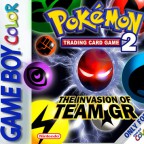
[GBC] Pokemon Trading Card Game 2

  • RedScorpion
  • October 15, 2021 at 12:57 PM
  • 1.7k Downloads
  • 0 Comments
  • Download
  • Overview
  • Versions 1

Dies ist der deutsche Übersetzungspatch von Sephie. Er darf ohne meine Genehmigung nicht von dritten angeboten werden.

Dies ist der deutsche Übersetzungspatch von

Sephie. Er darf ohne meine Genehmigung nicht

von dritten angeboten werden.

Um diesen Patch zu spielen braucht ihr:

- eine japanische Rom von Pokemon TCG 2: GR Dan Sanjou!

- die im Archiv liegende .ups-Datei

- das NUPS.exe Programm, welches im Archiv liegt

Anleitung:

1. Starte NUPS.exe

2. Klicke auf "Apply an UPS patch to a file"

3. Wähle bei "File to Patch" Browse... aus und wähle die japanische Rom

4. Wähle bei "UPS Patch" Browse... aus und wähle die .ups Datei aus, welche im Archiv liegt

5. Klicke auf Patch unten rechts in der Ecke des NUPS-Fensters

6. Öffne einen GB-Emulator und öffne die gepatchte Rom

Wenn du alles richtig gemacht hast, startet nun das Spiel in

deutscher Sprache.


Credits:

Sephie - ASM, Karten-/Menüübersetzung/Grafiken

Poe - Dialogübersetzung (snes-projects.de)


Links:

Blog: alteanknights.blogspot.com/

Youtube: youtube.com/c/Sephie

Discord: https://discord.gg/hDCVj2pSuW

Twitter: https://twitter.com/SephieVS

  • Version 1.0.0

    • RedScorpion
    • October 15, 2021 at 12:57 PM
    • 404.9 kB
    • 1.7k Downloads

File Details

Website
alteanknights.blogspot.com
Additional Authors
Poe, Raine

More Files by RedScorpion

  • Legend of Zelda, The - Göttin der Weisheit [T+Ger3.01_Source_Europe_ROM_snes-projects.de]

    RedScorpion March 27, 2024 at 9:49 AM
  • Legend of Zelda, The - Parallel Worlds (Hack) [T+Ger1.60_RedScorpion]

    RedScorpion December 24, 2020 at 12:34 PM
  • Terranigma VWF Edition

    RedScorpion November 13, 2020 at 12:38 PM
  • Star Ocean (Japan) [T+Ger1.00_snes-projects.de]

    RedScorpion October 2, 2020 at 12:41 PM
Powered by WoltLab Suite™ 6.1.18
Style: BlackOps by cls-design
Stylename
BlackOps
Manufacturer
cls-design
Designer
wcf.cls-design.designersNameTom
Licence
Commercial styles
Help
Supportforum
Visit cls-design